Turn a full head
into a startable day.
An ADHD-friendly daily planner for Android. Turn a brain dump into tasks and choose what fits today.
Start without an account. Plan with or without AI.
Four screens. One startable day.
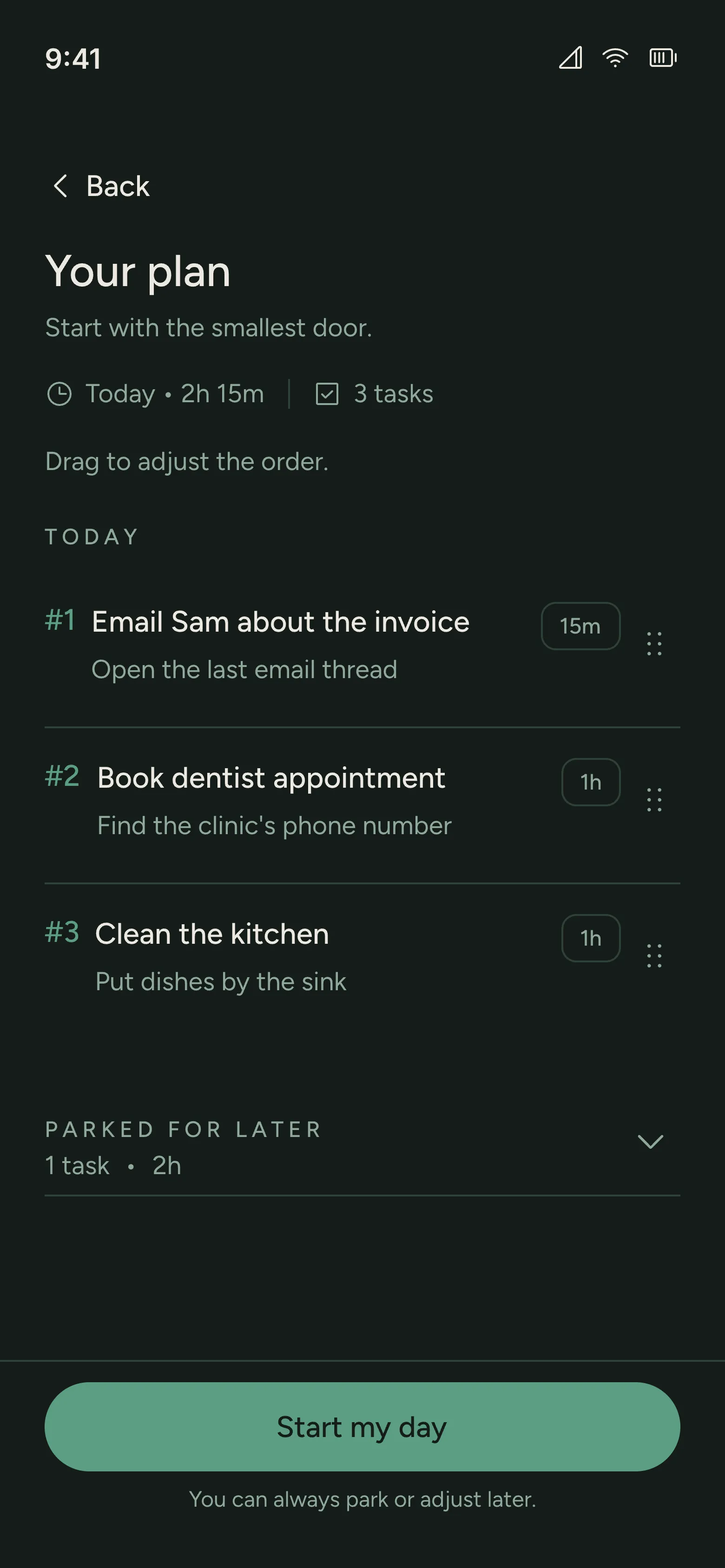
Capture the noise, decide what fits, see what comes next, and start. Each screen has one job.
Put it down.
Decide what fits.
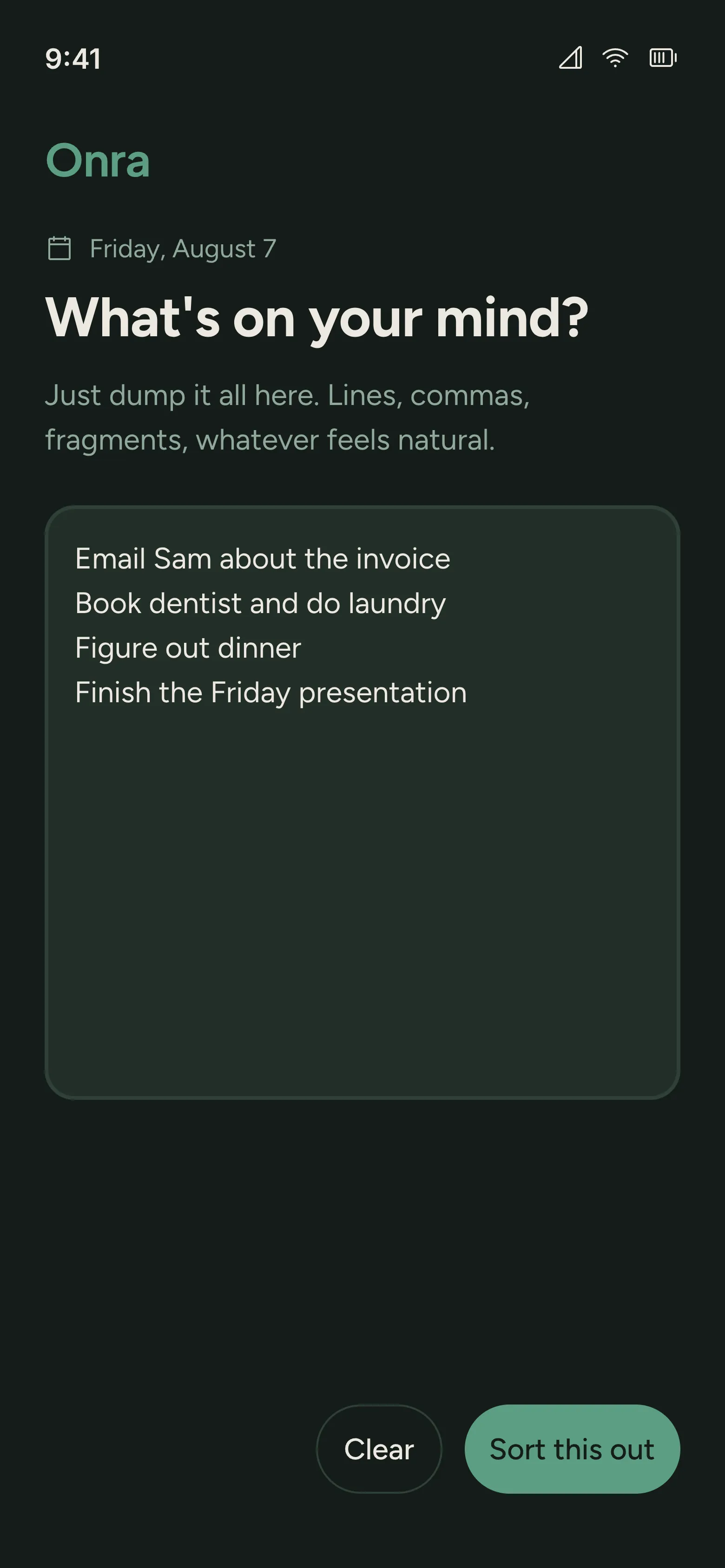
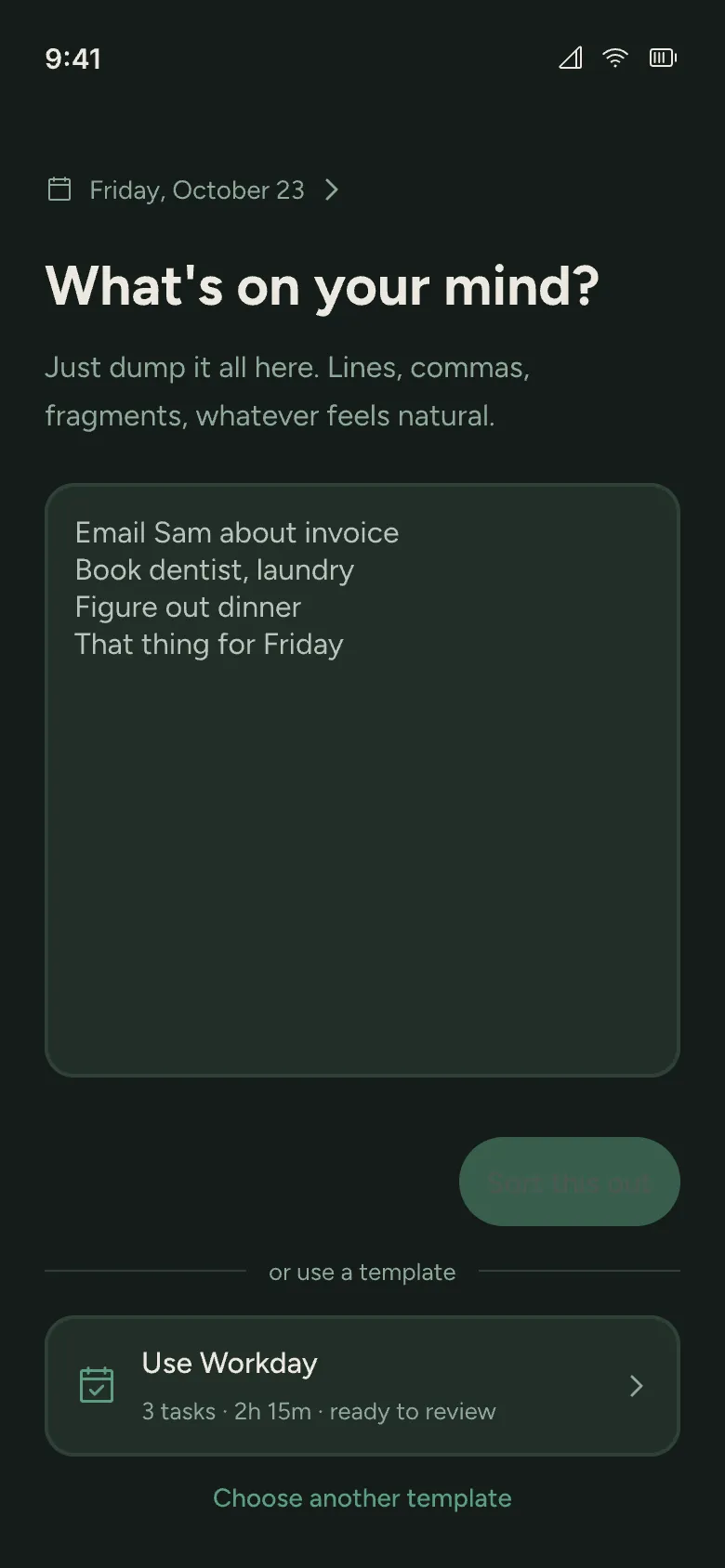
Write lines, fragments, or whatever is taking up space. No sorting or tagging before you begin.
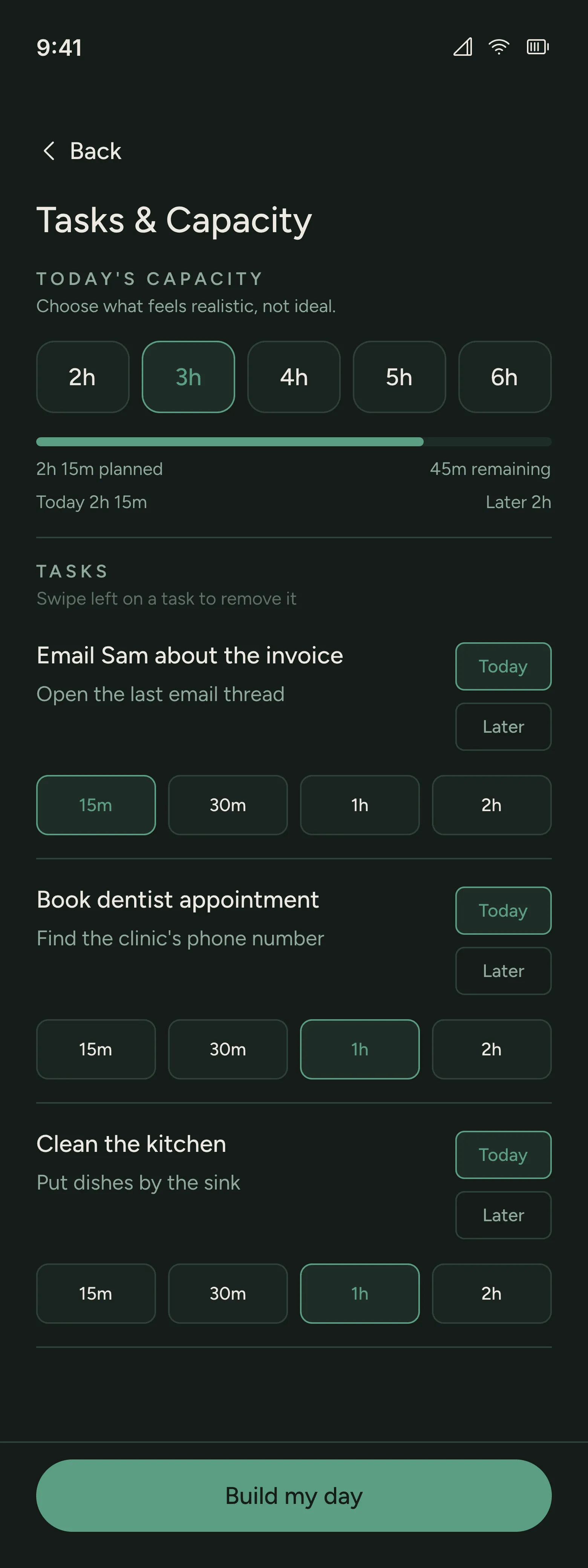
Choose what fits today.
2h, 3h, 4h, 5h, or 6h. Enough room for your actual day, not your most optimistic one.
Estimates stay editable.
Review the suggested duration before adding a task to Today. You keep the final say.
Overflow has somewhere to go.
Move work to Later. A full day does not have to become a longer list.
See the next thing,
not the whole mountain.
Drag tasks into the order that works for you. Parked work stays separate, without clock-time scheduling.
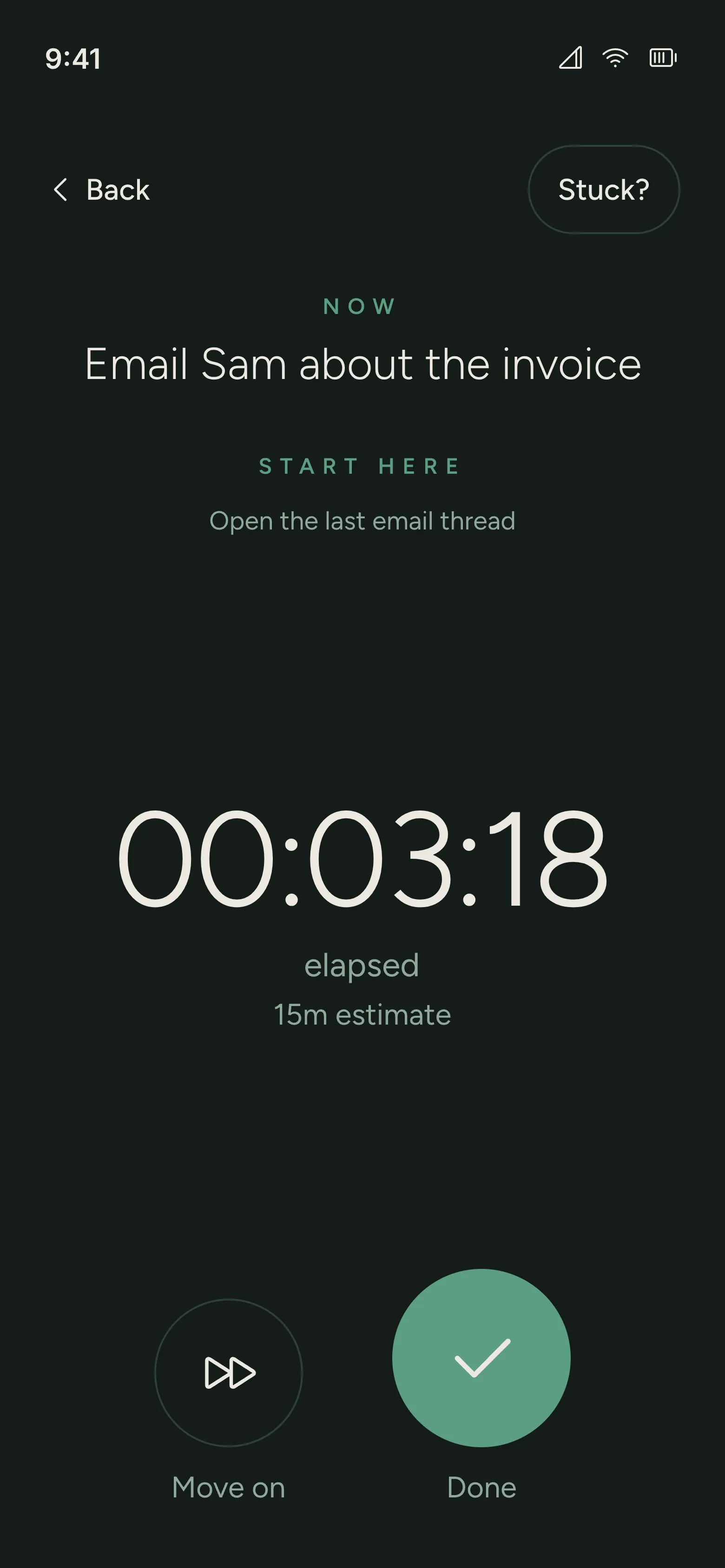
Starter step
Open the last email thread
The timer counts up while you work on one task.
Take more time if you need it.
At your estimate, Onra asks “Still going?” Keep going, mark the task done, or move it to Later.
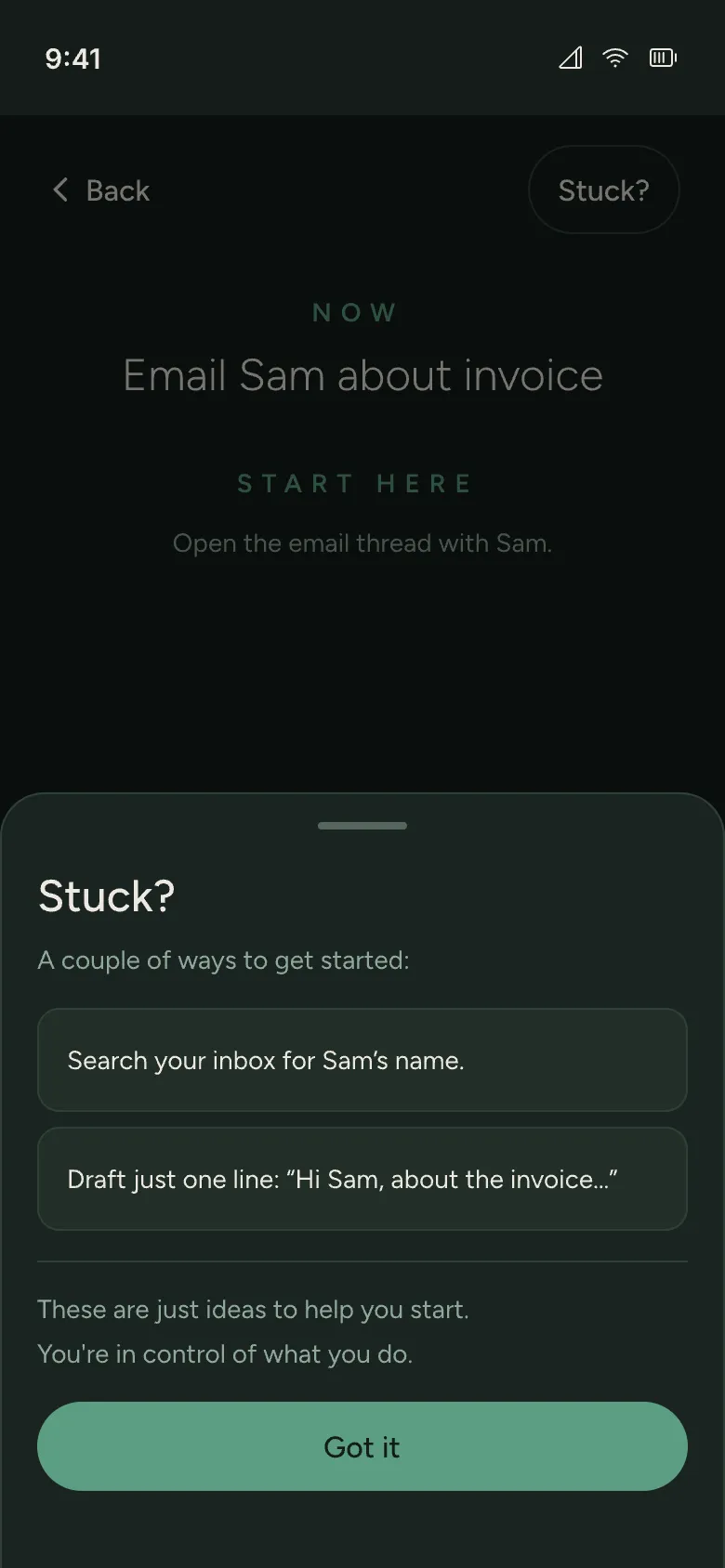
Stuck on the first move?
Tap Stuck? for one or two suggestions to help you begin the task. If AI is unavailable, simple fallback suggestions are still there.
Helpful, then quiet.
AI makes a first pass. You decide what stays, what changes, and what happens next.
YOUR BRAIN DUMP
Email Sam about the invoice
Book the dentist
Figure out dinner
That thing for Friday
Illustrative example
Email Sam about the invoice
Starter step
Open the last email thread
YOU DECIDE
Edit the starter step.
Change the estimate.
Choose Today or Later.
No AI? Still Onra.
Add tasks, set durations, and write starter steps yourself. Manual planning stays available when AI is unavailable.
A familiar day.
Less to write again.
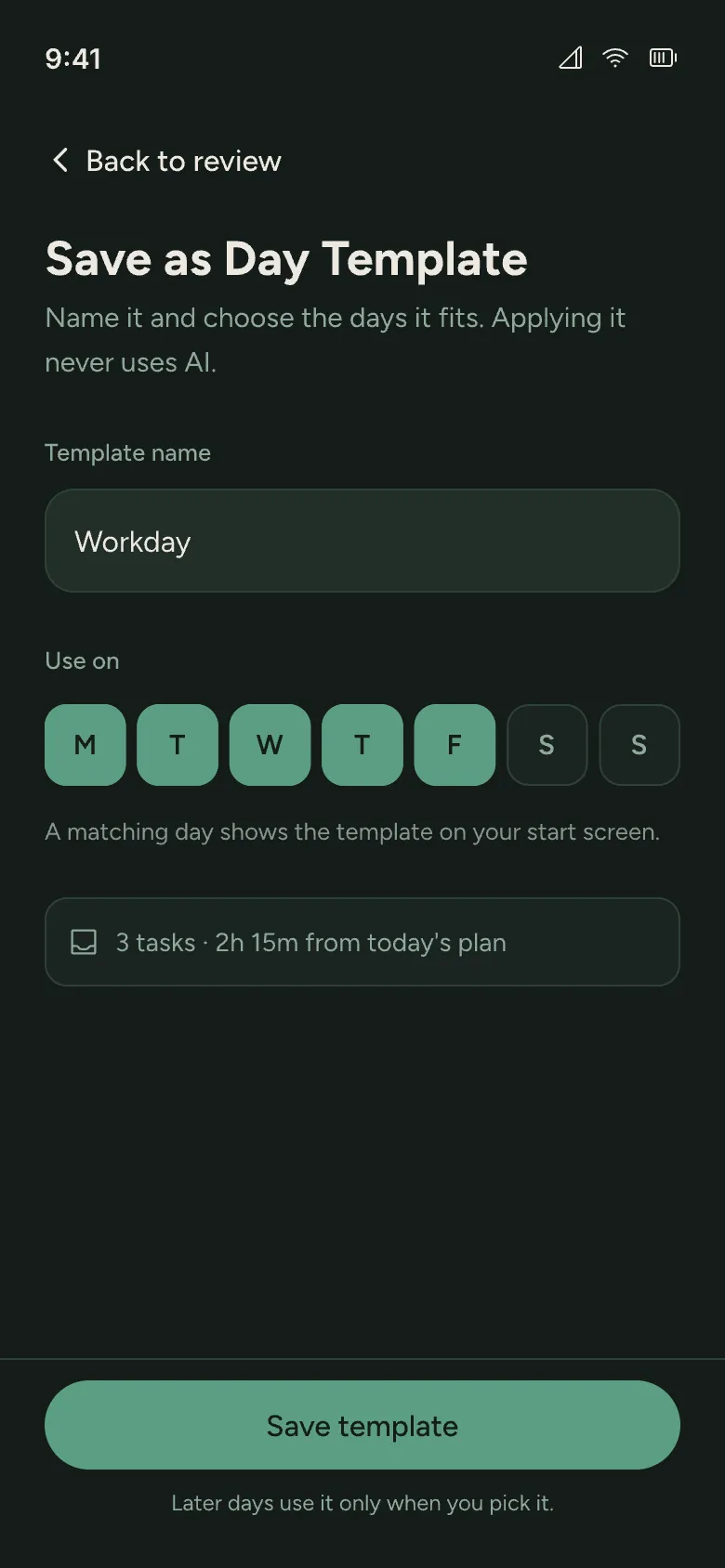
Save a reviewed plan as a Day Template, then reuse it when a similar day comes around. Available with a free account.
Keep the parts that work.
Save your tasks with their estimates, starter steps, and Today or Later choices. Name the template and choose the weekdays it fits.
Start from a template.
A matching weekday puts a template shortcut on your start screen. Choose it or another saved template, then adjust the tasks and capacity before building your day. Applying a template uses no AI assists.
See what you did.
Leave room for tomorrow.
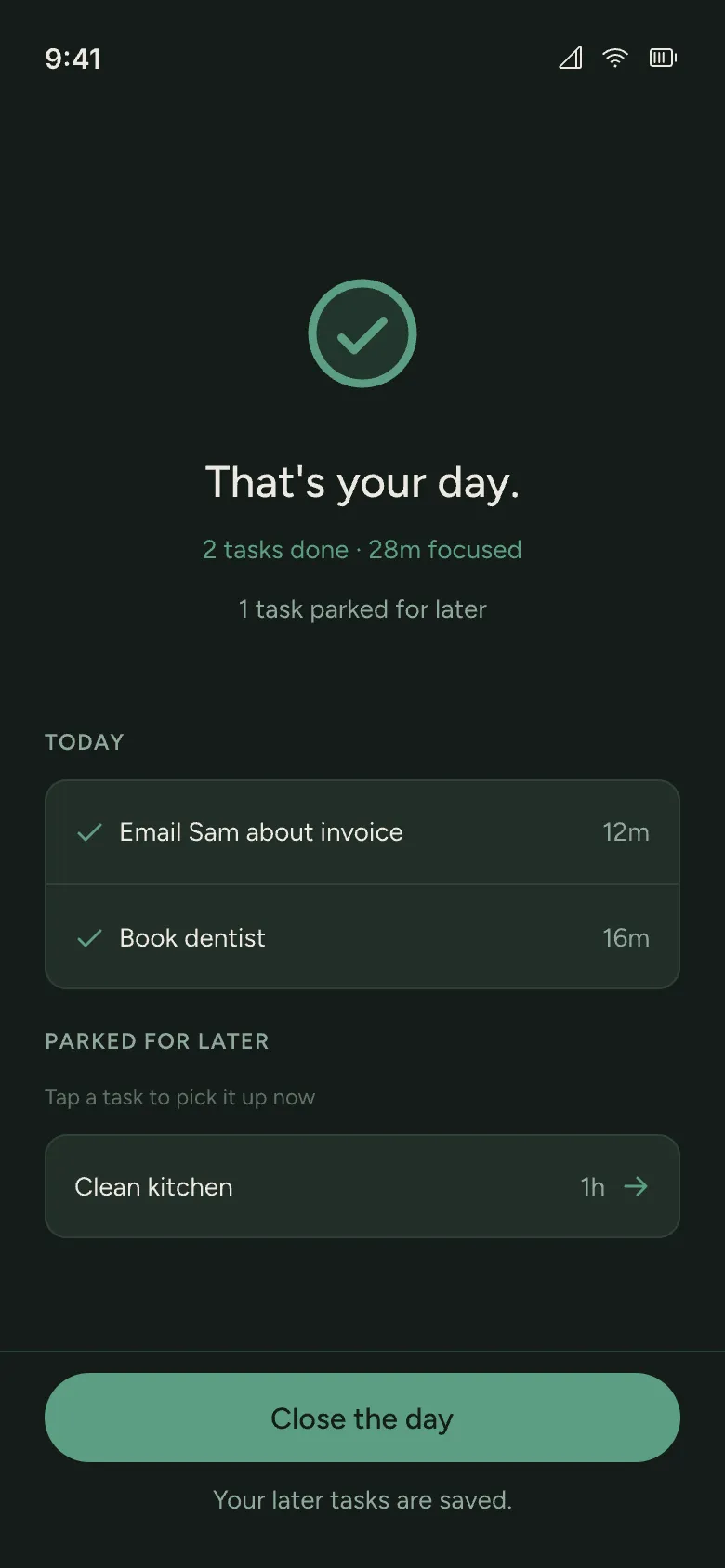
Close the day.
Day Complete shows finished tasks and recorded focus time. Parked tasks stay available. Pick one back up if you want to continue, or close the day.
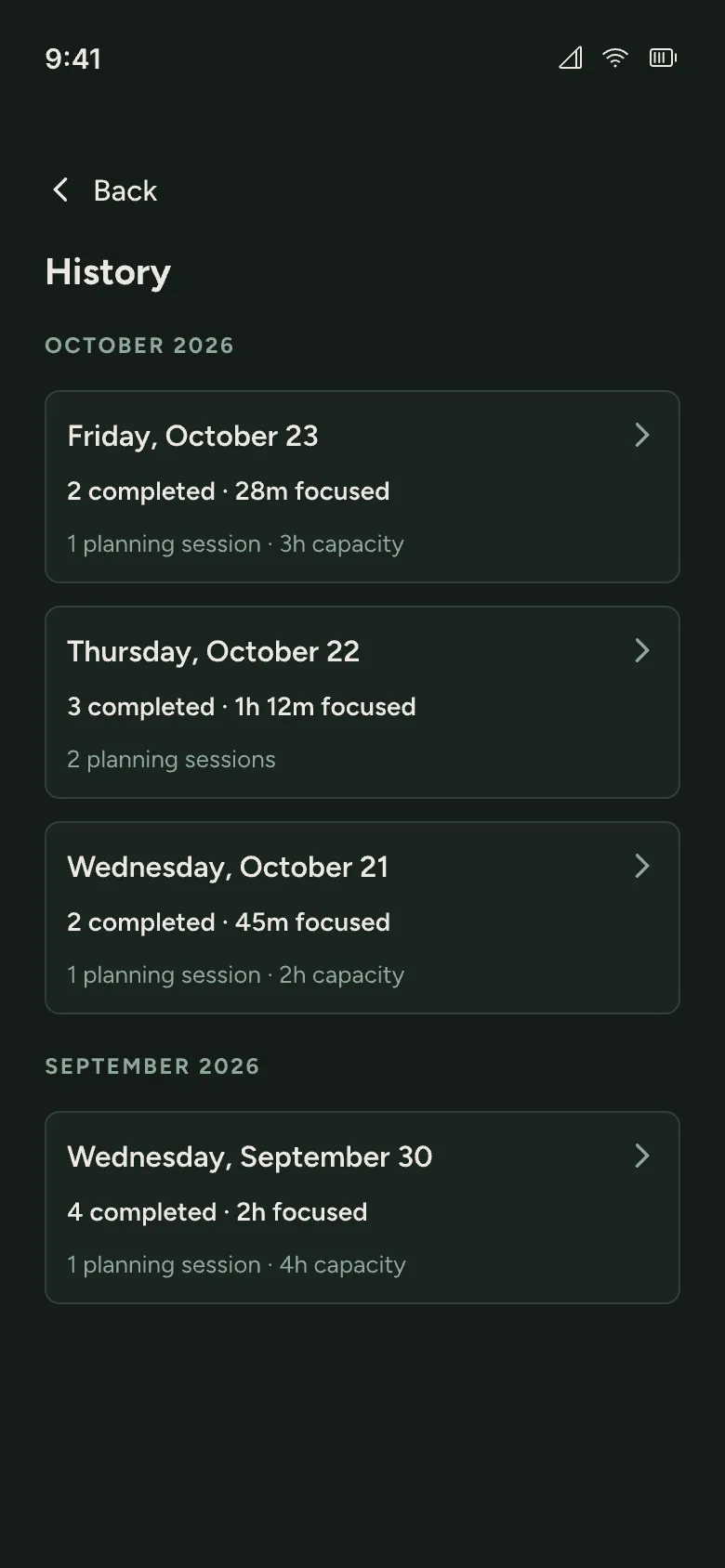
Look back in History.
Open History from the date on your start screen. Browse finished days and planning sessions, then open a task to see its planned duration, focused time, and starter step.
Enough structure to begin.
Less to keep up with.
Get tasks out of your head before sorting them. Choose what fits your capacity, then focus on one next step. Onra is designed with common ADHD-related planning challenges in mind. Anyone who finds planning overwhelming can use it, with or without a diagnosis.
Your thoughts are
not analytics.
Submitted brain dumps go to Onra’s server for processing and are stored with your plan.
Raw brain-dump text, task titles, starter steps, and AI output stay out of product analytics.
No raw brain-dump text in product analytics.
Start free.
Upgrade when it earns it.
The daily planning loop is useful before you pay. Pro gives you more AI support for planning and getting unstuck, plus suggestions based on your recent plans.
Prices shown in USD. Purchases are made in the Android app.
What stays Free
- Daily planning and Focus Mode
- 5 AI assists per day with a free account
- Manual planning without AI
- Day Templates when signed in
- Day Complete and History
Included with Pro
50 AI assists per day
10× the Free limit. Planning and getting unstuck share the same daily allowance.
Suggestions that fit your day
Pro Memory
As you build your planning history, Onra uses your recent plans to suggest a manageable workload and help you decide what belongs in Today or Later.
- Monthly
- $7.99/ month
- Flexible monthly access.
- Annual
- $39.99/ year
- About $3.33 per month, billed yearly.
- Lifetime
- $79.99one-time
- Pro access without a recurring subscription.
Quiet answers.
What Onra does, what it does not do, and what happens when the day changes.
What is Onra?
Onra is an AI-assisted daily planner for Android. Turn a brain dump into tasks, choose what fits Today, park the rest for Later, and focus on one next step. You can also plan manually without AI.
Is Onra available on iOS?
Onra is Android-only for now. An iOS version isn’t on the roadmap.
Is Onra only for people with ADHD?
No. Onra is an AI-assisted daily planner for anyone who finds it hard to get started or sort an overwhelming task list. Its design takes common ADHD-related planning challenges into account. You do not need a diagnosis to use it.
What can I do for free?
Daily planning, Focus Mode, and manual planning are free. With a free account, you also get Day Templates and 5 AI assists per day, shared between planning and getting unstuck. Pro increases the daily allowance to 50. Your anonymous first-use allowance is separate.
What is Pro Memory?
Pro Memory uses recent completed planning history to suggest a manageable workload and help you decide what belongs in Today or Later. It uses estimated task durations and completed task counts. It never changes your plan automatically.
Do I need an account to start?
No. You can make your first plan and use Focus Mode anonymously. Sign in later to restore your plans and history after reinstalling or changing devices. Day Templates require a signed-in account.
What if AI is unavailable?
Manual planning remains available. Add tasks, set durations, and write starter steps yourself without waiting for AI.
How does daily capacity work?
Choose 2h, 3h, 4h, 5h, or 6h for Today. Review what fits and move work that can wait to Later.
Does Focus Mode use a countdown?
No. The timer counts up from zero. When you reach the estimate, Onra asks “Still going?” You can keep going, finish the task, or move it to Later. If starting feels difficult, tap Stuck? for a couple of suggestions.
What happens to tasks that do not fit?
Move them to Later. Parked tasks remain available without adding them to today’s plan.
Is my brain dump sent to analytics?
No. Submitted dumps are processed and stored as product data on Onra’s server. Raw dump text and task content are excluded from product analytics.
A little less to carry.
One thing to begin.
Put everything down. Choose what fits. Start with one small thing.